VectorCanvas
Bring your own AI · MCP included

The site that reads the room.

VectorCanvas is a website CMS for founders who are selling and raising at the same time. Your public pages, your investor Deal Room and your Customer Room live on one site, and the AI you already work with can build and edit all of it.

14 days free with no credit card, then $10 a month billed yearly.

Admin · Deal Room
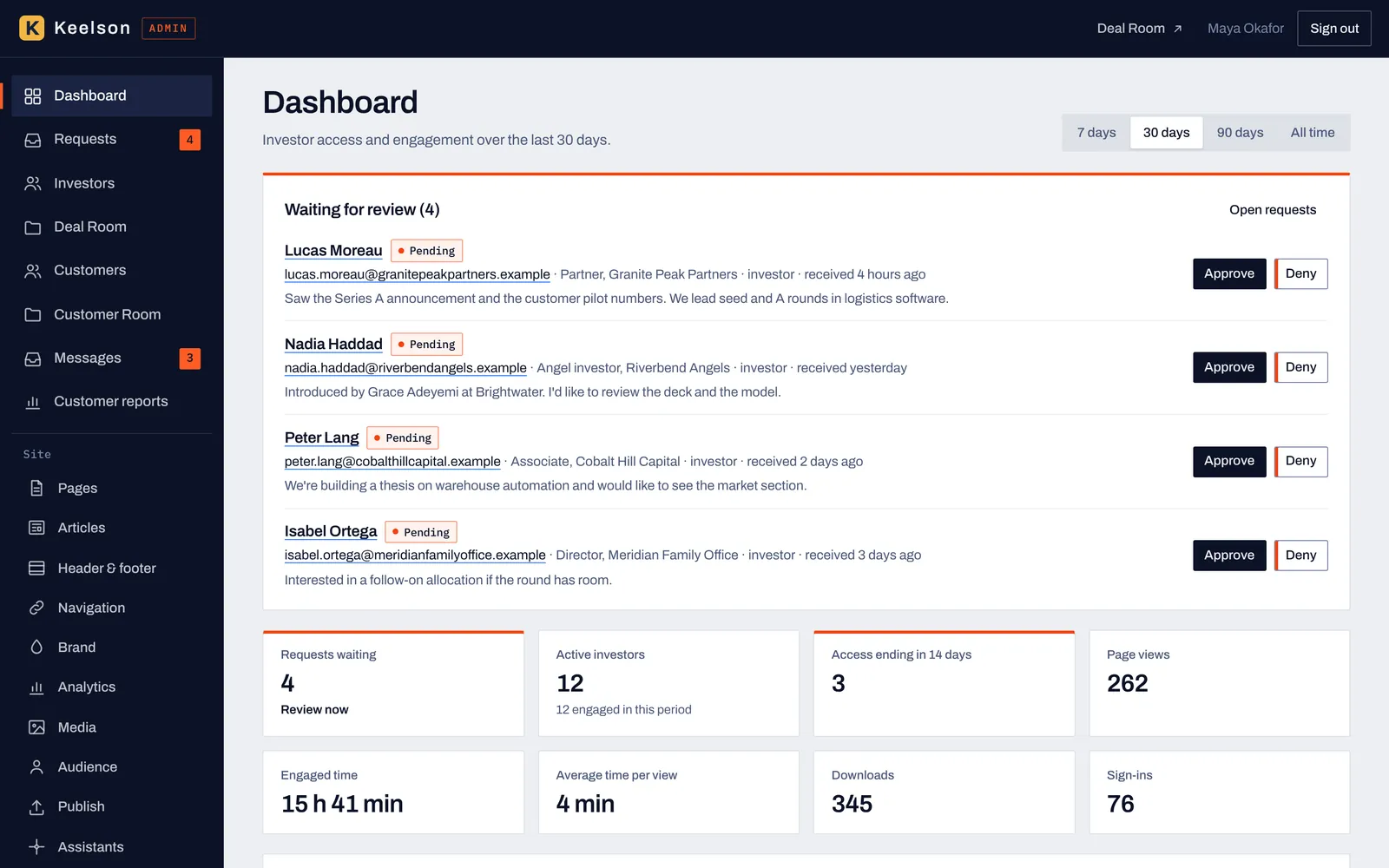
Deal Room admin dashboard for a sample company showing four investor access requests waiting for review, 12 active investors, 345 downloads and 76 sign-ins in the last 30 days
Admin · Page editor
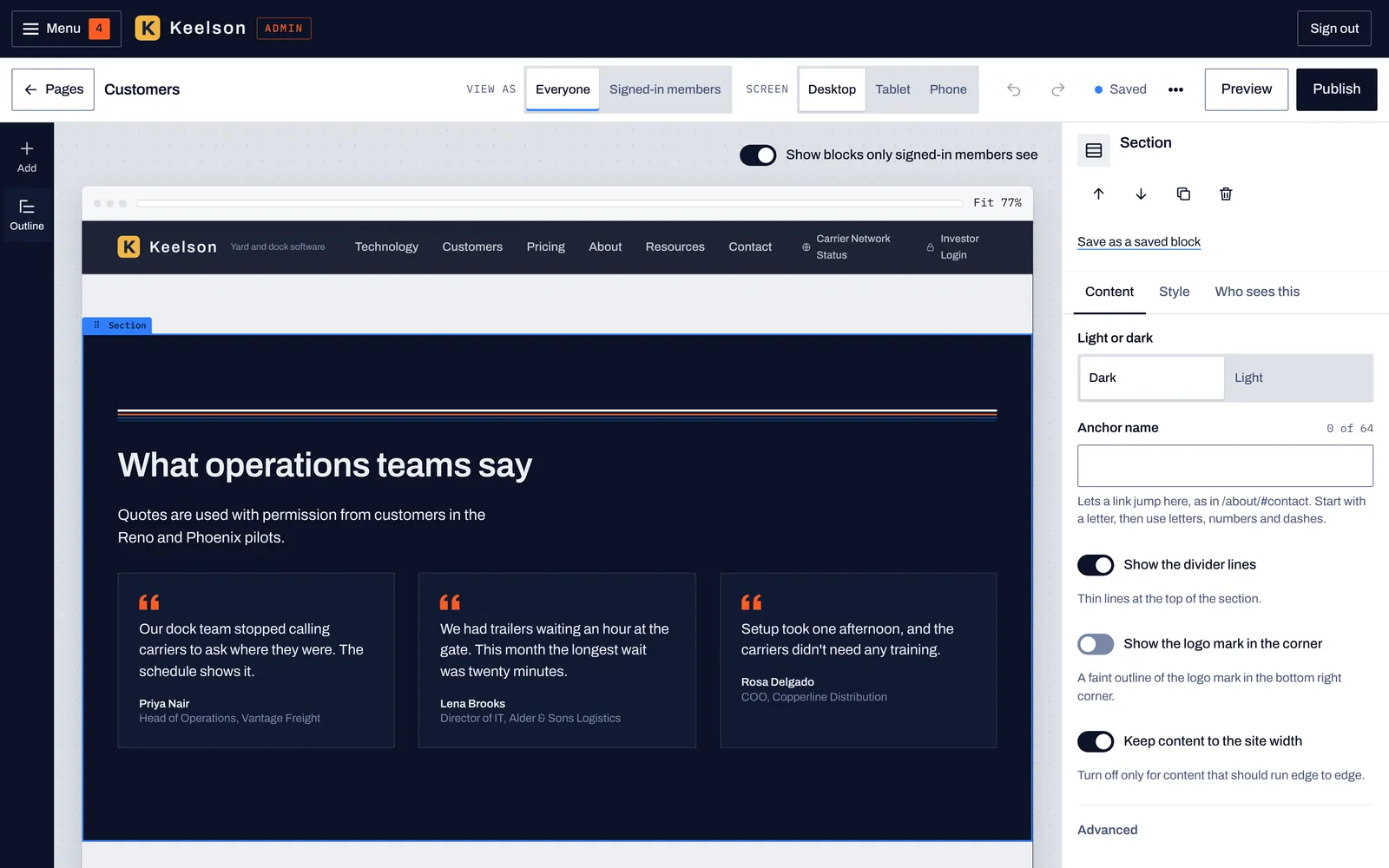
The VectorCanvas page editor with a quotes section selected and its Content, Style and Who sees this tabs open in the inspector
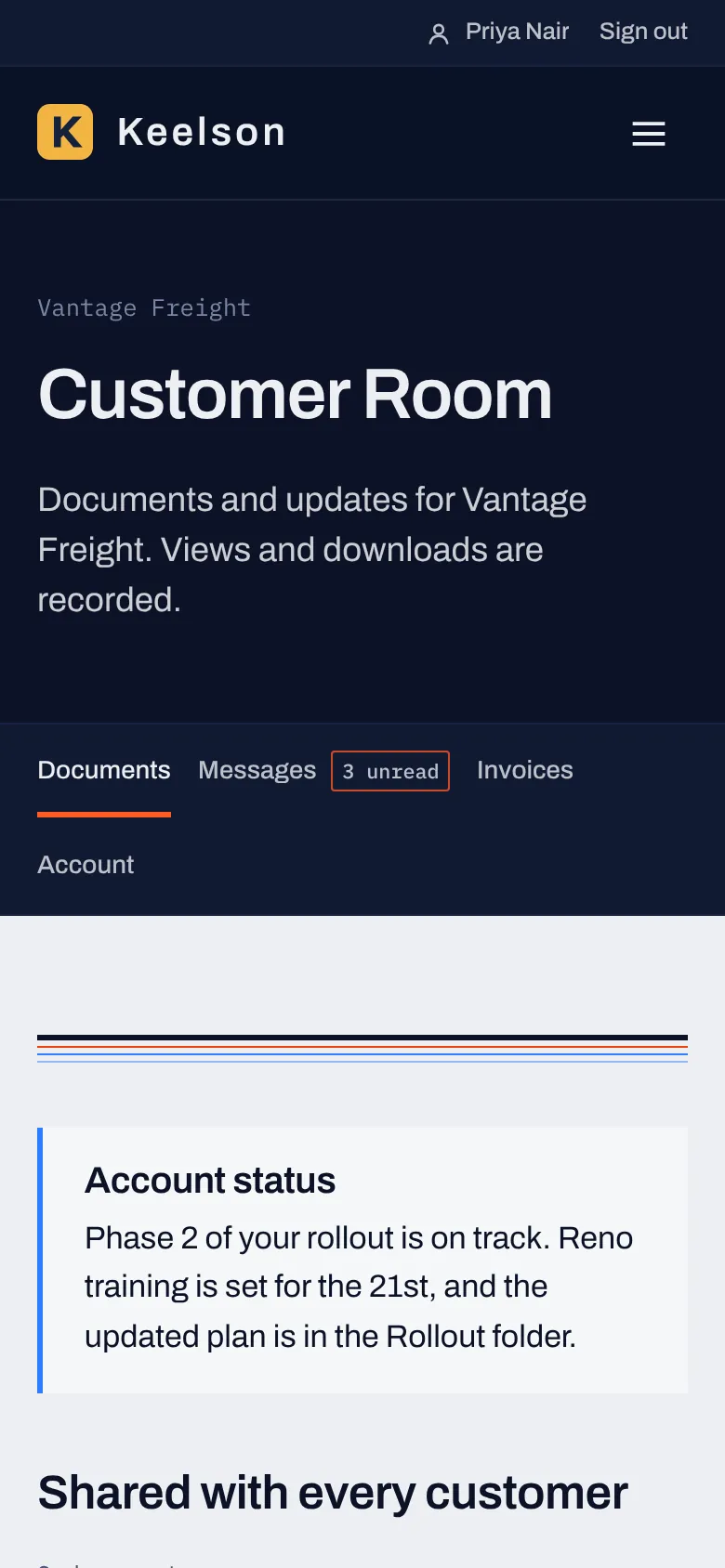
A customer's Customer Room home on a phone, with Documents, Messages, Invoices and Account tabs and an account status note from your team
Customer view
Deal Room Site editor Customer Room
BYOAI is the default

Build your site with the AI that already has your context.

You've spent months working with an AI model to plan the company, write the deck and answer investor questions, so it knows far more about your business than anything built into a CMS could. VectorCanvas lets you put that investment to work on your site.

Connect the one you use

Claude Chat, Claude Code, ChatGPT, Codex and Gemini can all connect to your site through the VectorCanvas MCP. The MCP tells your AI how to build with VectorCanvas, how to change the sections you already have and how to build new ones from elements, and the CMS stays in control of everything your AI makes.

Claude ChatClaude CodeChatGPTCodexGemini
  • Drafts first Your AI saves its work as a draft, and a person on your team publishes it.
  • A record of who did what The activity log names the assistant next to the person who connected it.
  • Restore any version Checkpoints and published versions can be restored from the editor or by your AI.
Your AI · connected to your siteMCP
Add a traction row under the hero using the numbers from our September update. Then add the revenue breakdown below it, and show that part only to investors.
get_page · homeread
list_section_templatesread
add_section · Stats rowdraft
add_section · Ledgerdraft
set_block_visibility · investorsdraft
create_preview_link · as a memberread
I added a Stats row under the hero with the September numbers and a Ledger below it with the revenue breakdown. The Ledger is set to show only to the investors group. Here's a preview link that shows the draft as a member, and both changes are saved as drafts until you publish.
  1. Connect your AIAdd your site's connector address in Claude, ChatGPT, Codex or Gemini, sign in and choose what it may do.
  2. Describe what you needYour AI reads your site, picks section templates and builds the page as a draft, using the context it already has.
  3. Review and editOpen the draft in the editor, preview it as the public or as a member, and change anything by hand.
  4. PublishA person publishes, and customers and investors each see the version written for them.
One site for every reader

Each block can be marked for the people who should see it.

Pages are built from blocks called Vectors. Mark a block for the public, for signed-in customers, for investors or for any group you set up, and a customer and an investor can open the same page and each get the version written for them.

Public

Your story for everyone

The pages anyone can find, from the home page to pricing and the blog, edited in the same place as everything else.

Customers

What a customer needs next

Onboarding steps, account pricing and release notes for signed-in customers, on the pages they already know.

Investors

The numbers behind the pitch

Traction, the model and the round, shown to approved investors right next to the story that brought them in.

Blocks marked for a group are removed on the server before a page is sent, so content marked for investors isn't sitting in the page source for anyone else to find.

Deal Room

Your Deal Room lives where your story does.

An investor who likes your positioning page can ask for access from your site, and you can approve them as soon as you see the request. From then on you'll know which documents they opened, how long they spent and what they downloaded.

Admin · what you manage
Admin · Deal Room
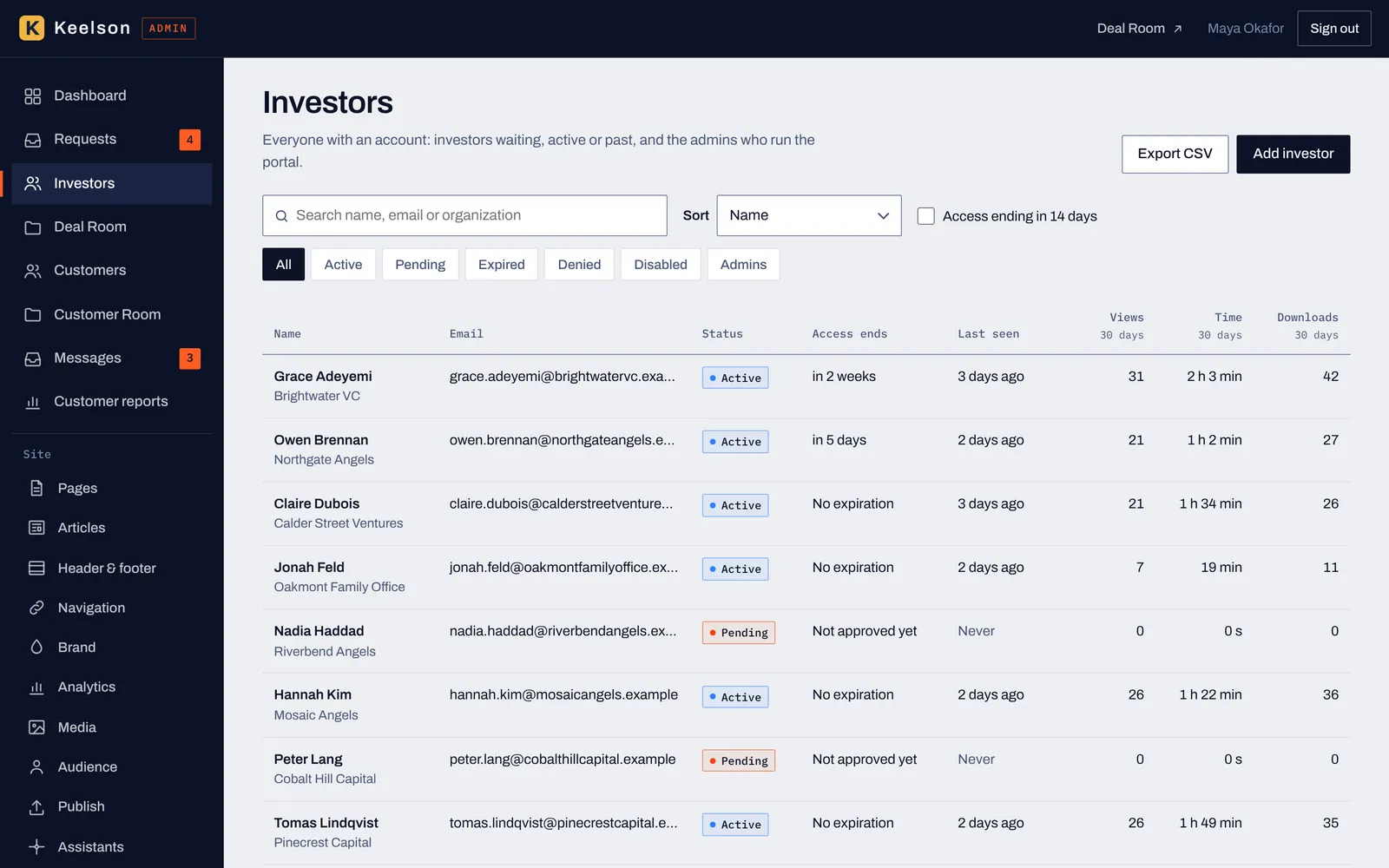
Investor list in the Deal Room admin with status, access end date, last seen, views, time spent and downloads for each investor

Every investor with their status, access end date, last visit and 30-day engagement, and a request queue with Approve and Deny.

Investor view · what they see
Investor view · Deal Room
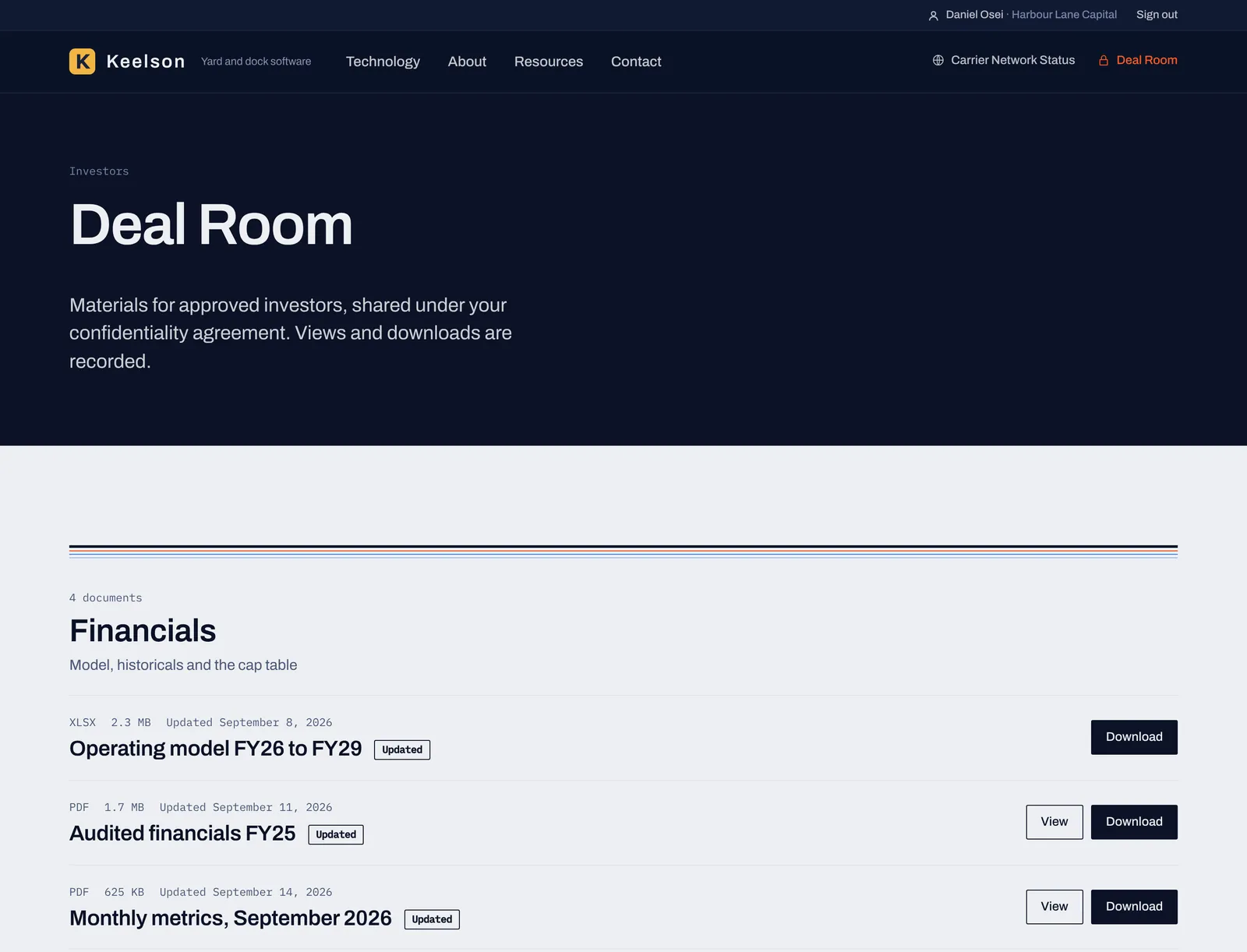
What an approved investor sees: the Deal Room page of the sample company with the Financials folder, file sizes, update labels and Download buttons

Approved investors open your folders in the order you set, with labels for new and updated files and a Download button.

  • Access requests with context Name, firm, title and a note, with Approve and Deny on the same screen.
  • Access that ends on its own Set an end date per investor and see who's expiring in the next 14 days.
  • Folders and revisions Replace a file without breaking links, and investors see what's new.
  • Engagement by person and by document Views, reading time, downloads and sign-ins for 7, 30 or 90 days.
4requests waiting, with Approve and Deny on the dashboard
15 h 41 mof investor reading time in the last 30 days
345document downloads, each tied to a person
3investors whose access ends in the next 14 days

Figures come from the fictional company in these screens.

Customer Room

Give every customer a room of their own.

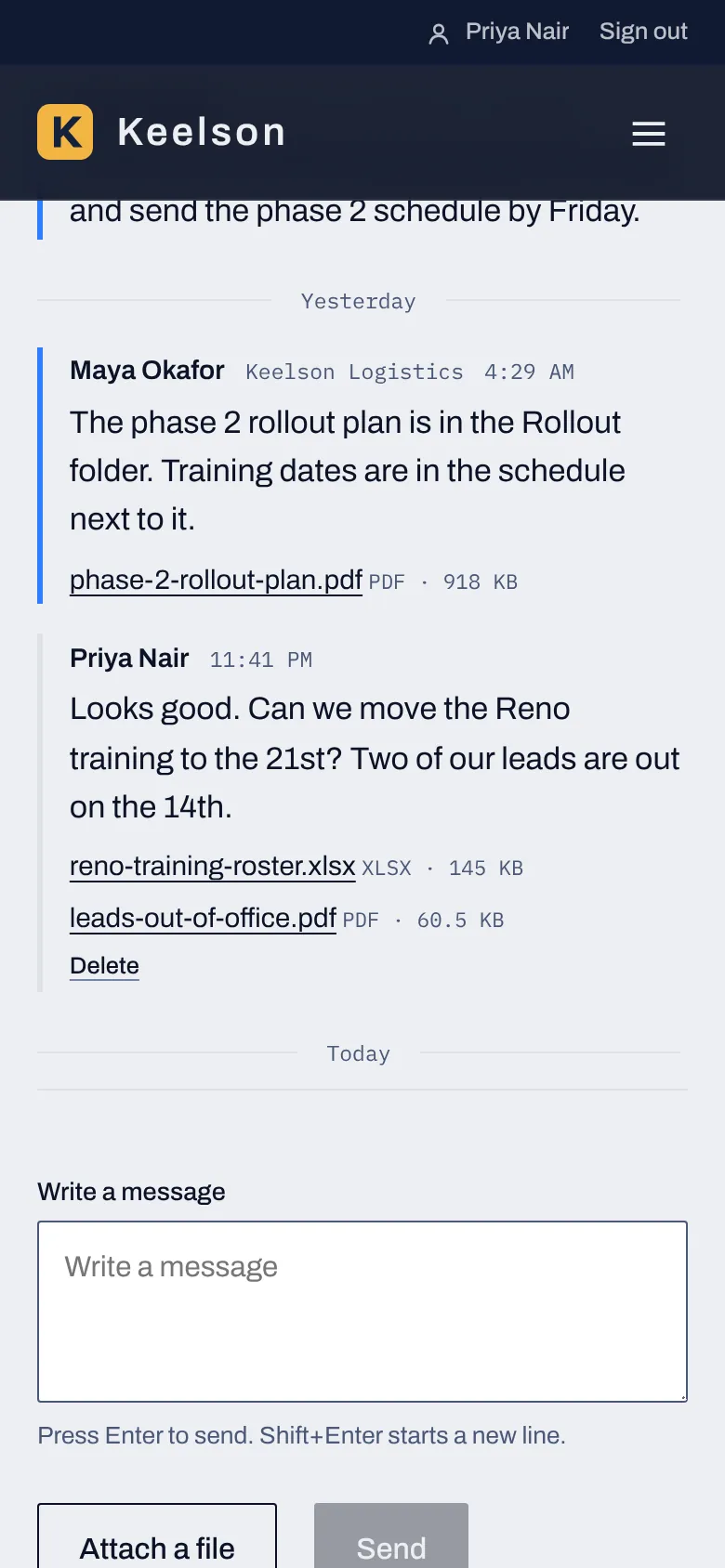
Each customer account gets a private space on your site with the documents meant for it, a message thread with your team and its invoices. Customers can upload files too, up to 20MB each, so security questionnaires and site photos stop living in email.
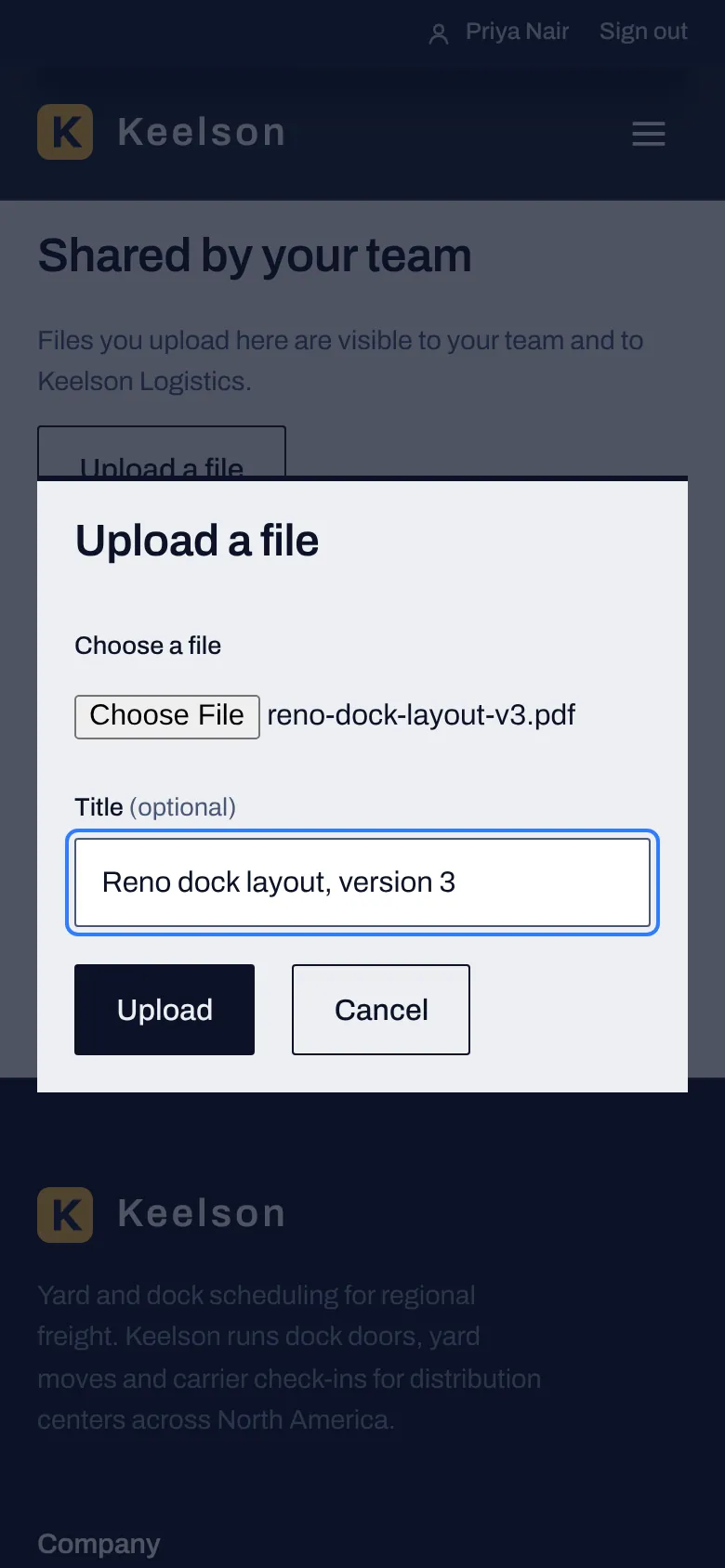
A customer's Customer Room home on a phone, with Documents, Messages, Invoices and Account tabs and an account status note from your team
Customer view · Home
The Upload a file dialog in the Customer Room on a phone, with a chosen PDF and an optional title
Customer view · Upload
A message thread on a phone between a customer and your team, with attached files and a box to write a reply
Customer view · Messages
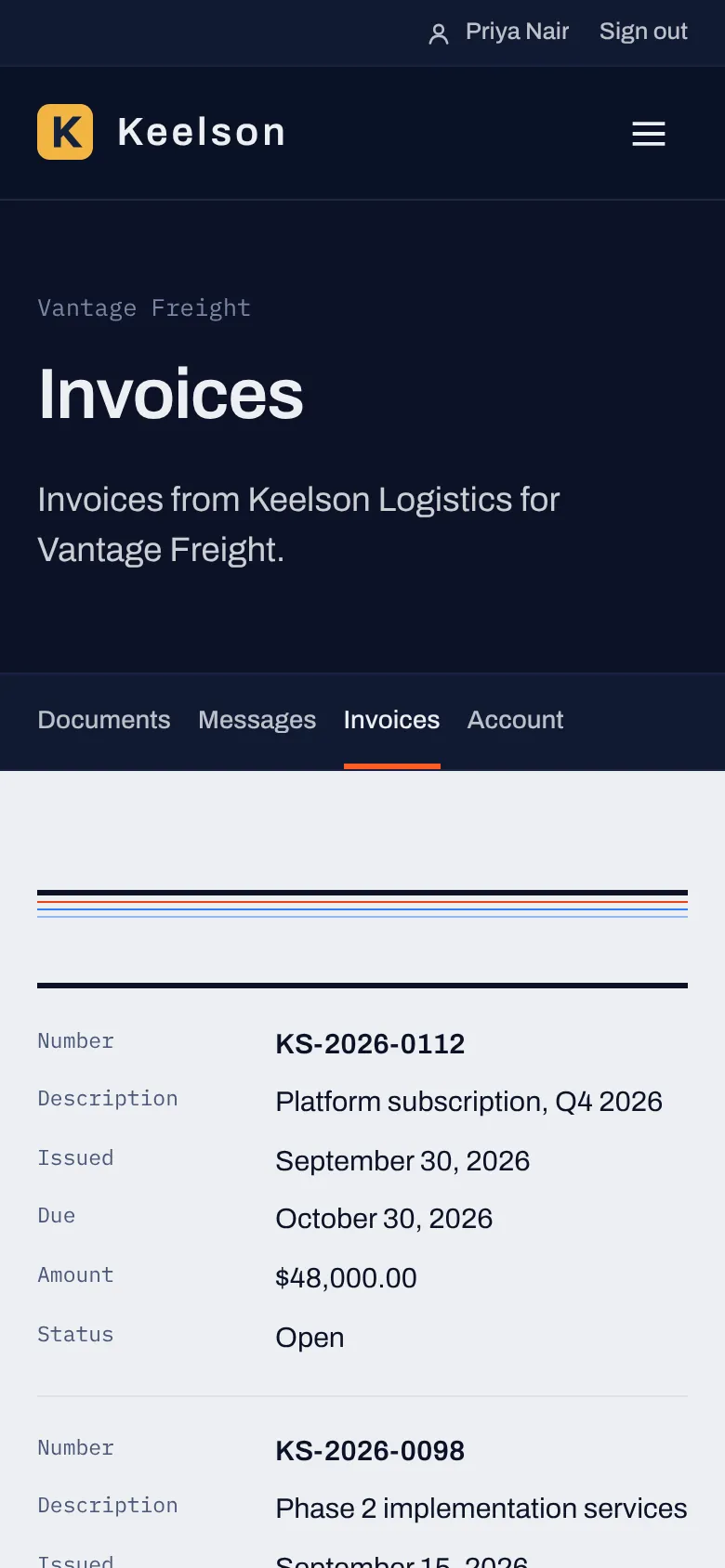
The Customer Room invoice list on a phone, showing invoice number, description, issue and due dates, amount and status
Customer view · Invoices
  • Shared and private folders Release notes for every customer, a rollout plan for one.
  • Customer uploads up to 20MB Files land in a folder for that account, and your team sees them in the admin.
  • One conversation per account Unread counts and unanswered threads show up in your admin.
  • Invoices in the room Open, due and paid, with views and downloads recorded.
Library

Pre-made sections and elements, ready to place.

You or your AI can put a page together from sections that already work, then change the words, the order and who sees each one. Anything you build can be saved and used again on other pages.

58section templates in 9 groups
67elements in 10 groups
3page starts for About, Product and Contact pages
4article layouts for blog posts and news
  • Preview of the Hero with side panel section template

    Hero with side panel

  • Preview of the Pricing columns section template

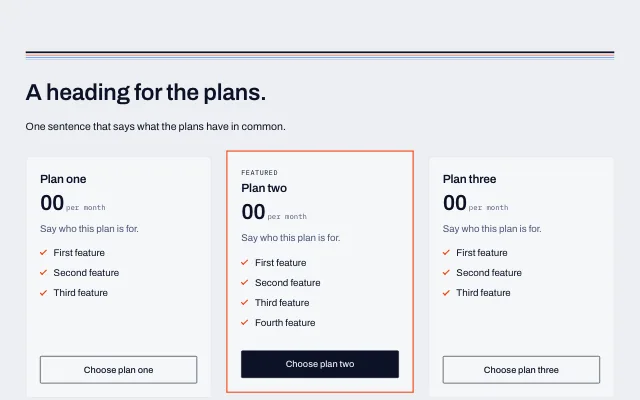
    Pricing columns

  • Preview of the Investors CTA section template

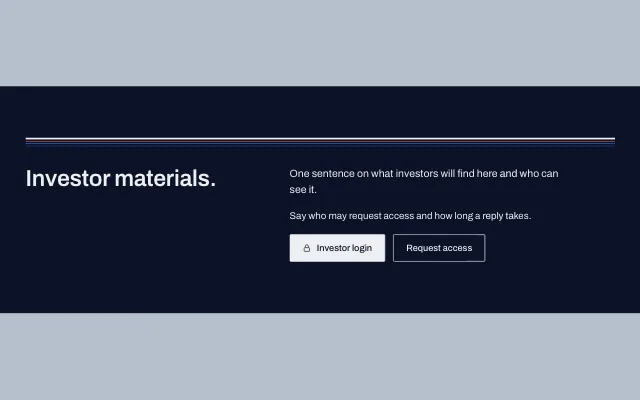
    Investors CTA

Pricing

$10 a month.

That's the yearly rate, and it covers the site, the library, the Deal Room, the Customer Room and the MCP connection for your AI. Month to month it's $15. Try all of it free for 14 days with no credit card.

Billed yearly$10/mo
Billed monthly$15/mo
Free trial14 days
Credit card to startNone
At a glance

VectorCanvas in one place.

The short version, with the main facts and numbers from this site collected in one list.

Category
Website CMS with a built-in Deal Room and Customer Room
Built for
Startup founders who sell and raise at the same time, then smaller B2B companies
Your AI
Bring your own. Claude Chat, Claude Code, ChatGPT, Codex and Gemini connect through the VectorCanvas MCP
Library
58 section templates, 67 elements, 3 page starts and 4 article layouts
Rooms
Investor Deal Room and Customer Room, with customer uploads up to 20MB per file
Price
$10 a month billed yearly, or $15 a month billed monthly
Free trial
14 days, no credit card required
Made by
On-Call Studios (On-Call CMO LLC), Conshohocken, Pennsylvania
Questions

Questions people ask.

What is VectorCanvas?

VectorCanvas is a website CMS for startup founders and small B2B companies. It includes a visual editor, a library of 58 section templates and 67 elements, an investor Deal Room, a Customer Room where customers can upload files, and an MCP connection that lets the AI assistant you already use build and edit your site.

Which AI assistants can I connect?

Claude Chat, Claude Code, ChatGPT, Codex and Gemini can connect through the VectorCanvas MCP, and so can other assistants that support remote MCP servers. You approve each connection and choose what it may do.

What does bring your own AI mean?

VectorCanvas works with the AI subscription you already pay for. You connect your assistant to your site, and it builds and edits pages using what it already knows about your company. VectorCanvas doesn't resell AI usage, so there are no AI credits to buy here.

Can my AI publish changes without me?

By default an assistant reads your site and saves its changes as drafts, and a person on your team reviews and publishes them. You choose what each connection may do, you can disconnect it whenever you want, and the activity log lists the assistant next to the person who connected it.

What's the difference between the Deal Room and the Customer Room?

The Deal Room is for investors: they request access, you approve them, and they read the documents you share. The Customer Room is for customers: each customer account gets its own space with documents, a message thread with your team, invoices and file uploads, and accounts are invited, so it has no request form.

How much does VectorCanvas cost?

$10 a month when billed yearly ($120 a year), or $15 a month when billed monthly. There's one plan, and it includes the site, the visual editor, the library, the Deal Room, the Customer Room and the MCP connection.

More answers are on the product page and the pricing page.
For founders who sell and raise

Sell and raise from one site.